
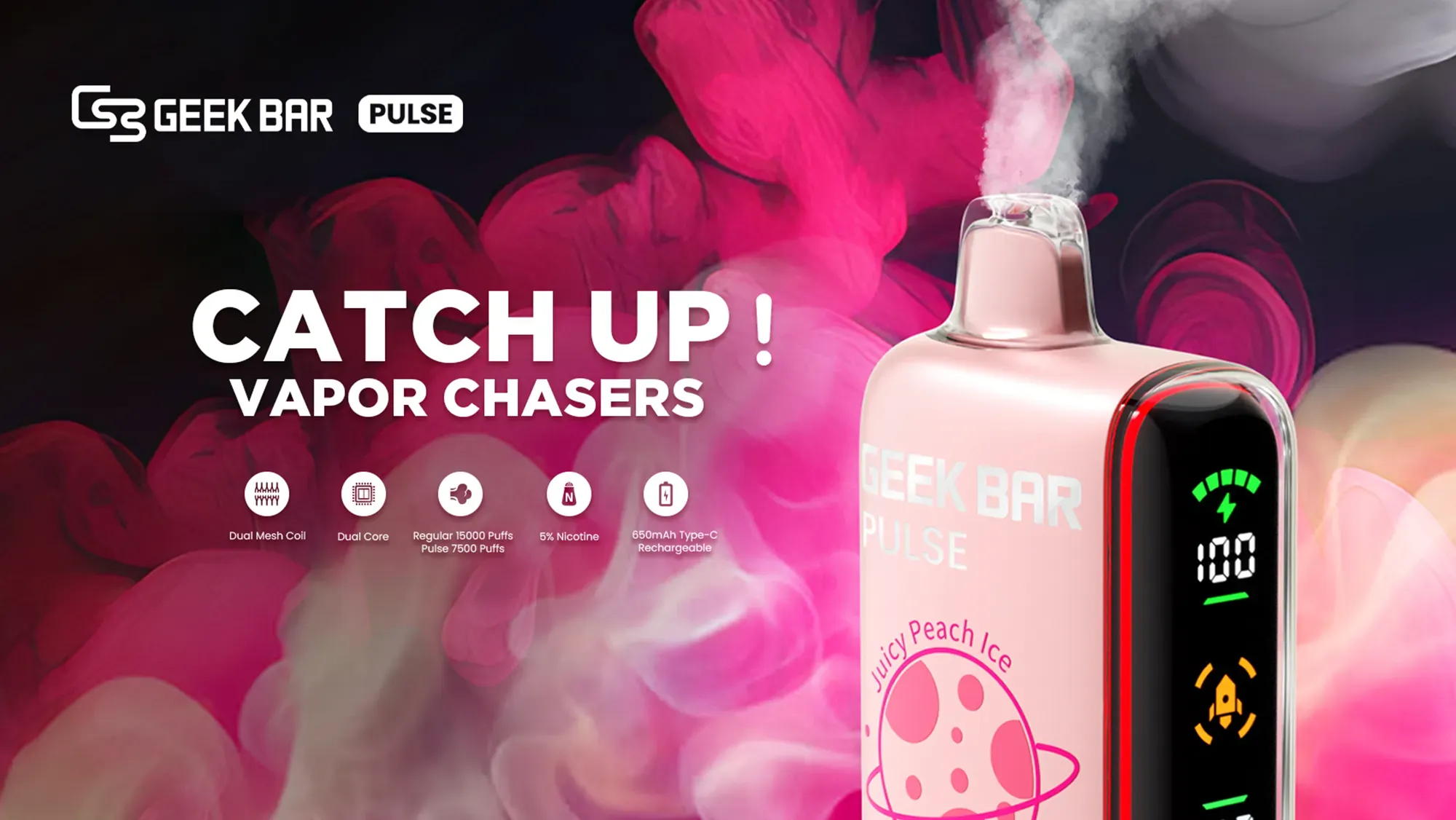
The LED battery and e-liquid percentage icons on smart vapes indicate the real-time operational status of your device. The battery percentage (often accompanied by a lightning bolt) displays the remaining electrical charge of the lithium-ion cell, helping you determine when to plug in the device. The e-liquid percentage (frequently denoted by a water drop icon) estimates the remaining vape juice in the reservoir, preventing dreaded dry hits and letting you know exactly when it is time to replace the device.
Gone are the days of the “blind vape.” For years, vapers had to guess when their disposable device would run out of charge or suddenly deliver a harsh, burnt taste due to an empty tank. Today, the integration of advanced digital displays has transformed the hardware landscape. As professional e-cigarette editors and hardware testers, we have analyzed the microprocessors driving these modern devices to bring you a definitive guide on reading, understanding, and trusting your smart vape screen.
What Exactly Are Smart Vapes and Why Do They Feature LED Screens?
Smart vapes represent the latest evolutionary leap in vaping hardware. Unlike traditional disposables or basic pod systems that offer a single, solid LED indicator, smart vapes are equipped with built-in MCU (Microcontroller Unit) chips and digital displays. These screens range from basic numerical LCDs to full-color, animated LED dashboards.
Manufacturers introduced these screens to solve a primary consumer pain point: predictability. Knowing exactly how much battery life and e-liquid remains allows users to manage their vaping habits efficiently. These screens elevate the user experience, transforming a simple nicotine delivery system into a highly intuitive piece of consumer electronics. You will typically find these displays on high-capacity devices offering 7,000 to 15,000 puffs, as the extended lifespan necessitates better user monitoring.
How Do You Accurately Read the LED Battery Percentage Icon?
The battery indicator on a smart vape operates much like the battery gauge on your smartphone. Driven by a voltage sensor, the internal chip measures the current voltage output of the internal lithium-ion battery. A fully charged battery typically outputs around 4.2 volts, translating to 100% on your screen. As you vape, this voltage naturally drops.
When you take a puff, the screen usually illuminates, showing a number between 00 and 99. This numerical feedback allows for precise power management. If you are leaving the house for the day and notice your screen reads 25%, you immediately know to pack a Type-C charging cable. This simple data point completely eliminates battery anxiety.
What Does the Lightning Bolt Icon Mean While Vaping?
Most digital displays incorporate universally recognized iconography. The lightning bolt is the industry standard for power status. You will typically see this icon in two distinct scenarios. First, it may illuminate alongside the battery percentage while you are actively taking a draw, simply confirming that the battery is actively discharging power to the mesh coil. Second, when you plug the device into a USB-C cable, the lightning bolt will flash or remain solid, indicating that the device is successfully receiving a charge.
At What Percentage Should You Recharge Your Device?
Lithium-ion batteries perform best when they are not subjected to extreme power drains. Waiting until your device hits 0% can gradually degrade the battery’s overall capacity. To maintain consistent vapor production and flavor quality, we recommend recharging your device when the battery indicator drops to between 15% and 20%. Charging the device at this threshold ensures that the coil always receives adequate voltage, preventing weak vapor production.
What Does the E-Liquid Percentage Icon Tell You About Your Juice Levels?
While tracking battery life is straightforward, tracking e-liquid is a monumental achievement in disposable vape engineering. The e-liquid percentage icon is designed to protect users from dry hits—the unpleasant experience of inhaling from a dry cotton wick.
By keeping an eye on this metric, you know exactly when to order a replacement from VapeRoster’s premium smart vapes collection. When this number approaches 0%, vapor production will taper off, and the flavor profile will begin to mute, signaling the end of the device’s lifecycle.
What Does the Water Drop Symbol Represent on a Display?
To distinguish between the power supply and the consumable liquid, manufacturers use a water drop or a liquid vial symbol. This icon is strictly associated with your vape juice capacity. On standard LCD screens, this drop may sit next to a numerical percentage. On more advanced displays with animated dashboards, the drop icon may change color or feature a draining animation that corresponds to the liquid level inside the internal polyfill sponge.
How Is the Remaining Vape Juice Calculated by the Internal Chip?
This is where the technology becomes highly fascinating. Unlike an automobile’s gas tank, which uses a physical float to measure liquid, disposable vapes house their e-liquid within a saturated polyfill material. Therefore, a physical liquid sensor is impossible.
Instead, the smart chip uses a sophisticated puff-counting algorithm. The device is pre-programmed with the total liquid volume (e.g., 16ml). The internal pressure sensor tracks the duration and intensity of every single puff you take. The MCU calculates the average amount of liquid vaporized per second of activation and deducts it from the programmed total. While it is an estimation based on algorithmic data rather than a physical measurement, modern firmware has made this calculation incredibly reliable.
Are Vape Screen Percentage Readouts 100% Accurate?
A common question among vaping enthusiasts is whether they can blindly trust the numbers on the screen. The short answer is that they are highly accurate estimates, but not flawless absolute measurements.
The battery percentage is generally over 95% accurate because it relies on direct voltage reading. However, the e-liquid percentage is subject to user habits. If you take excessively long, deep draws (frequently exceeding 5 seconds), the algorithm may slightly miscalculate the liquid depletion rate. Consequently, your device might taste slightly burnt when the screen still reads 2% or 3%. Conversely, users taking very short, shallow puffs might find the device still produces flavor even after the screen hits 0%. Treat the e-liquid indicator as a reliable early-warning system rather than a perfect scientific instrument.
How Do Color-Coded LED Indicators Differ From Exact Digital Percentages?
Not all smart vapes utilize digital numbers. A sub-tier of modern devices uses color-coded LED systems to convey device status. While less precise than an exact percentage, these color-coded systems are highly effective, visually intuitive, and often conserve battery life by not powering a full LCD screen.
What Do Green, Blue, and Red Lights Typically Indicate?
When dealing with color-coded LED drops or battery icons, the industry largely follows a universal traffic-light protocol:
- Green Light: Optimal capacity. This indicates that your battery or e-liquid is between 70% and 100%. You have plenty of life left.
- Blue or Yellow Light: Medium capacity. This signals that levels have dropped to between 30% and 69%. The device is functioning normally, but you should be aware of the depletion.
- Red Light: Critical capacity. When the light turns red, the device is operating between 0% and 29%. If it is the battery indicator, find a charger immediately. If it is the e-liquid indicator, it is time to secure a replacement device.
Why Is My Smart Vape Screen Flashing or Blinking Continuously?
A flashing or blinking LED screen is the device’s way of communicating an error or triggering a safety protocol. Smart vapes are equipped with multiple safety features. If your screen is blinking, it generally points to one of the following scenarios:
- Dead Battery: A continuous flashing of the lightning bolt icon usually means the voltage is too low to heat the coil.
- Short Circuit Protection: If the internal chip detects a short in the mesh coil, the screen will flash rapidly and cut off power to prevent overheating or battery venting.
- Over-Time Vaping Limit: Most devices have an 8-to-10 second cutoff timer. If you inhale for too long, the screen will flash and shut down the power to prevent the coil from burning out.
Which Top Smart Vapes Currently Feature the Best Digital Displays?
The market is currently flooded with high-tech hardware. Based on our extensive editorial reviews, certain devices stand out for their display clarity, accuracy, and overall aesthetic. Below is a comparison of top-tier devices known for excellent screen integration.
| Device Name | Screen Type | What It Displays | Notable Feature |
|---|---|---|---|
| Geek Bar Pulse | Full-Color Animated LED | Battery %, E-Liquid %, Vaping Mode | Features a cosmic animation that activates during puffs and dual vaping modes (Regular/Pulse). |
| Raz TN9000 | 0.96-inch HD Screen | Battery %, E-Liquid %, Animations | Offers distinct, high-definition animations specific to battery charging and vaping. |
| RabBeats RC10000 | Anti-Glare LCD | Battery %, E-Liquid % | Minimalist and incredibly accurate, designed for easy reading in direct sunlight. |
How Can You Maximize the Battery and E-Liquid Life of Your Device?
Understanding your screen is only half the battle; acting on the data is how you optimize your experience. To get the most out of your smart vape, follow these expert guidelines:
- Avoid Overcharging: Unplug the device once the battery percentage hits 100%. Leaving it plugged in overnight degrades battery health.
- Keep It Out of Extreme Heat: High temperatures can thin out the e-liquid causing it to vaporize too quickly, which throws off the chip’s liquid calculation algorithm.
- Puff Moderately: Taking consistent, moderate puffs rather than aggressive, deep lung hits ensures the mesh coil stays saturated and the liquid algorithm remains accurate.
- Use the Right Cable: Always charge your device using a standard 1-amp charging block. Fast chargers designed for laptops can overpower the small internal battery, frying the LED screen circuitry.
What Are the Common Misconceptions About Disposable Vape Screens?
Because this technology is relatively new, several myths have circulated within the vaping community. The most prominent misconception is that the screen drains the battery excessively. In reality, the MCU and LED displays are highly optimized, drawing a microscopic fraction of a watt. The power consumed by the screen is negligible compared to the power required to heat the mesh coil.
Another myth is that when the e-liquid reads 0%, the device instantly locks. While some advanced pod systems do feature auto-lock capabilities, most disposable smart vapes will continue to fire. The 0% reading is a strong warning, not a hard stop. However, continuing to vape past this point will inevitably result in inhaling burnt polyfill, which is highly unadvisable.
How Does Advanced Screen Technology Impact Your Overall Vaping Experience?
The implementation of LED screens on vaping hardware fundamentally shifts control back to the user. It introduces a level of transparency that the industry desperately needed. By providing real-time data, vapers can budget their usage, avoid the anxiety of their device dying on a night out, and completely eliminate the harsh experience of dry hits.
Furthermore, it elevates safety. With visual indicators for short circuits and low voltage, users are no longer left guessing why a device is malfunctioning. It transforms vaping from a passive habit into an interactive, manageable experience.
VapeRoster’s Commitment to Vaping Excellence
Frequently Asked Questions (FAQ) About Smart Vape Indicators
1. Can I reset the e-liquid percentage on my disposable vape?
No. Disposable smart vapes have internal chips programmed for a single lifecycle. Once the e-liquid counter reaches 0%, it cannot be reset or refilled.
2. Why does my battery percentage drop so quickly?
If your battery percentage plummets after a few puffs, the internal lithium-ion cell may have degraded due to extreme temperatures or using an incompatible high-wattage fast charger.
3. Does the screen stay on all the time?
No, to conserve battery life, smart vape screens typically illuminate when you take a puff or plug in the charging cable, shutting off automatically after 3 to 5 seconds of inactivity.
Ready to Upgrade to a Smarter Vaping Experience?
Stop guessing when your vape will run out. Experience the precision and reliability of modern digital displays.