
To check the battery health and current charge level on a smart vape device, simply activate the screen by taking a short puff or pressing the activation button. Digital smart vapes will display a precise numeric percentage (e.g., 85%) or a segmented battery bar. On devices without screens, look for the LED indicator light: Green typically indicates a high charge (70-100%), Blue or Yellow indicates a medium charge (30-69%), and Red means the battery is low (under 30%) and requires immediate charging. If your battery percentage drops rapidly after a full charge, this indicates overall battery health degradation.
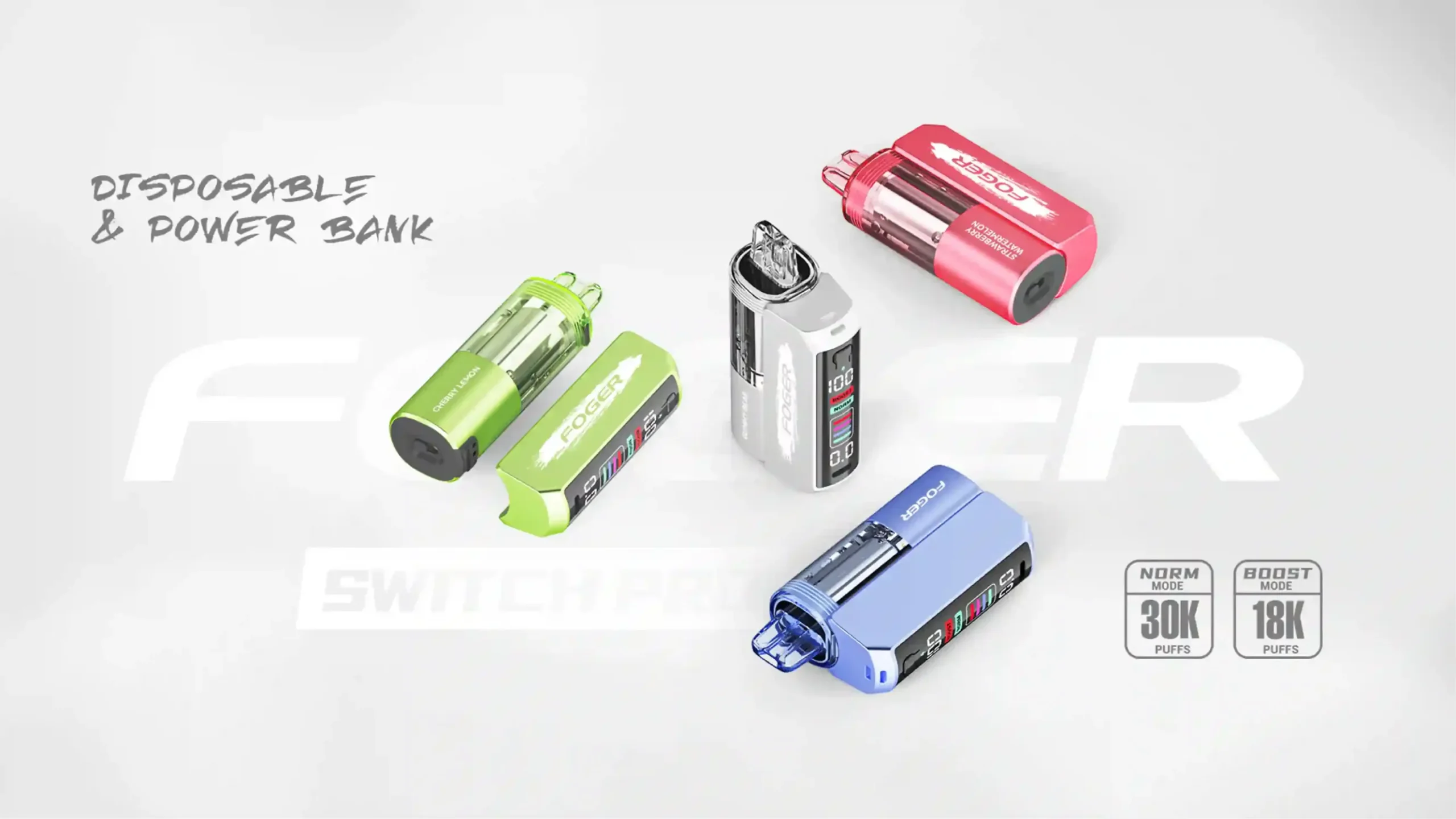
The vaping landscape has evolved rapidly, moving away from rudimentary hardware toward highly sophisticated tech. Today’s smart vape devices feature OLED screens, animations, and precise telemetry that were once exclusive to high-end box mods. However, understanding the difference between your device’s current charge level and its long-term battery health is what separates a novice from an expert. As hardware reviewers and vaping enthusiasts at Vaperoster, we have tested hundreds of devices. We are here to break down exactly how to interpret these indicators, prolong your hardware’s lifespan, and keep your vaping experience consistent.
What Does the Screen on Your Smart Vape Actually Tell You?
Modern e-cigarettes are equipped with microprocessors that do much more than simply heat a coil. When you look at the display on a contemporary smart vape, you are looking at real-time data regarding the lithium-ion cell inside. These screens generally provide a dual-readout: e-liquid levels and battery capacity.
The battery indicator relies on an internal voltmeter reading the voltage output of the cell. A fully charged lithium-ion battery typically rests at around 4.2 volts. As you vape, this voltage drops. The smart chip translates this voltage drop into the user-friendly percentage or visual bar you see on the screen. However, it is vital to understand that this reading is a snapshot of the current charge, not an absolute measure of the battery’s total chemical health.
Why Is Monitoring Vape Battery Health Crucial for Performance?
Ignoring your battery indicators leads to more than just the inconvenience of a dead device. Vaping on a nearly depleted battery can result in a highly degraded experience. When voltage drops too low, the coil does not receive enough power to properly vaporize the e-liquid. This leads to spit-back, gurgling, and muted flavor profiles. Furthermore, repeatedly draining a lithium-ion battery to zero percent causes severe strain on the cell’s chemistry, permanently reducing its capacity to hold a charge in the future.
How Do You Read Digital Battery Displays on Modern Disposables?
The era of guessing how much life is left in your disposable vape is over. Premium disposable vapes now utilize intuitive digital interfaces. Most devices activate their screens automatically upon inhalation. You will usually see an icon resembling a traditional battery or a lightning bolt next to a numeric value.
If your device uses a segmented bar rather than numbers, each bar generally represents a 25% increment. For example, three out of four solid bars mean you have roughly 75% battery remaining. It is important to check this reading right after a puff, as some screens time out quickly to conserve power.
What Are the Standard Battery Percentages to Watch For?
To maintain optimal performance, you need to know how your device behaves at different charge tiers. We recommend observing the following thresholds:
- 100% to 70% (Optimal Output): The battery outputs its maximum voltage. Vapor production is dense, and flavor is robust.
- 69% to 30% (Standard Operation): The smart chip regulates power to maintain consistency, though you may notice a slight drop in vapor warmth.
- 29% to 10% (Low Power State): The device will likely restrict power to preserve remaining life. It is highly recommended to find a charger at this stage.
- Under 10% (Critical Alert): Vapor production will be weak. Continued use may cause the device to shut off entirely to protect the battery from deep discharge.
Which Color Codes Indicate Your Vape Battery Status?
Not all smart vapes utilize digital screens; many rely on intelligent LED notification systems. While manufacturers occasionally use proprietary color schemes, the industry has largely adopted a universal traffic-light system to indicate battery levels.
When you take a drag, pay attention to the small LED light located at the base or along the side of the chassis. A solid Green light means you are good to go, indicating a near-full charge. A Blue or Yellow light serves as a warning that you have entered the mid-range of your battery capacity. Finally, a Red light is a clear signal that the battery is nearly depleted.
What Does a Blinking Red Light Mean on Your Device?
A blinking red light is the universal distress signal in the vaping world. Depending on the specific pattern, it communicates different issues:
- Rapid Flashing (3-5 times) during a puff: The battery is completely dead and the device has locked itself to prevent a dangerous deep discharge.
- Continuous Flashing when not in use: This can indicate a short circuit or an issue with the internal coil.
- Flashing while plugged in: The device is actively charging. It will usually turn solid or shut off completely once 100% is reached.
How Can You Tell If Your Vape Battery Is Degrading Over Time?
Battery charge is how much power you have right now; battery health is how well the battery retains its original capacity. Lithium-ion batteries used in advanced vaping kits and rechargeables degrade after roughly 300 charge cycles. You can identify poor battery health by observing its behavior rather than just reading the screen.
If a device that used to last two days on a full charge now requires plugging in every afternoon, the battery’s internal resistance has increased, and its capacity has shrunk. You might also notice that the device gets unusually warm during charging or use, which is a key indicator of chemical degradation.
Are Rapid Drops in Battery Percentage Normal?
If you take your vape off the charger at 100% and it immediately drops to 85% after just three puffs, this is not normal behavior for a healthy device. This phenomenon, known as “voltage sag,” occurs when a degraded battery cannot handle the electrical load demanded by the coil. The smart chip reads this sudden drop in voltage and inaccurately displays it as a massive loss in percentage. If your device exhibits this behavior, the battery has reached the end of its lifecycle.
What Are the Best Practices for Charging Smart Vapes?
Maximizing battery health requires adherence to proper charging habits. The internal components of smart vapes are sensitive, and utilizing the wrong charging equipment can fry the microprocessor or ruin the battery cell.
Always use the charging cable provided with the device or a high-quality, data-capable USB-C cable. More importantly, plug your device into a low-amp power source. A laptop USB port, a smart TV, or a standard 1-amp wall block is ideal. Avoid using high-speed smartphone chargers (like 20W or 65W fast chargers), as they can push too much current into the vape, causing extreme heat and rapid battery degradation. For more comprehensive details, review our vape charging safety guidelines.
Should You Leave Your E-Cigarette Plugged in Overnight?
The short answer is no. While most modern smart vapes feature overcharge protection circuits that stop the flow of electricity once the battery reaches 100%, leaving the device plugged in for 8 hours puts unnecessary stress on these safety components. If the overcharge protection fails, it can lead to thermal runaway—a dangerous overheating of the battery. Furthermore, keeping a lithium-ion battery at maximum voltage for prolonged periods degrades its chemistry faster. Charge your device while you are awake and unplug it as soon as it is full.
How Do Smart Vape Features Impact Battery Drain?
The advanced features that make smart vapes so appealing are the exact same features that drain your battery. Massive full-color OLED screens, haptic feedback (vibrations), and Bluetooth connectivity require constant power.
If you are trying to extend your battery life throughout a busy day, look for “stealth mode” settings on your device that turn off the screen during use. Additionally, devices with intricate LED light shows will naturally die faster than their minimalist counterparts.
Does “Boost Mode” or “Pulse Mode” Kill Your Battery Faster?
Many modern smart disposables and pod systems feature a switch for “Boost” or “Pulse” mode. This setting increases the wattage output to the coil, resulting in massive vapor clouds and intense flavor. However, physics dictates that higher wattage requires a higher current draw from the battery.
Using Boost mode can cut your battery life in half. For example, a 650mAh battery might last a full day on standard mode (running at 12 watts), but will be depleted in a few hours on Boost mode (running at 24 watts). If you notice your battery indicator dropping rapidly, check to ensure you haven’t accidentally left your device in high-performance mode.
When Should You Replace a Smart Vape or Its Internal Battery?
For smart disposable vapes, the device should be properly recycled once the e-liquid runs out or the battery refuses to hold a charge for more than an hour. For reusable smart pod systems and mods, you should replace the internal battery (if removable) or the entire device when you experience the following:
- The battery indicator jumps erratically (e.g., from 80% to 20% in minutes).
- The device chassis bulges or swells—this is a severe safety hazard requiring immediate disposal.
- The device gets uncomfortably hot to the touch during a normal draw.
- The charging port is loose, requiring you to wiggle the cable to establish a connection.
How Do Popular Smart Vapes Compare in Battery Display Tech?
Different brands utilize varying interfaces to communicate battery health. Below is a comparative look at how some of the most popular form factors handle battery indicators.
| Device Category | Battery Indicator Type | Information Displayed | Accuracy Level |
|---|---|---|---|
| Smart Disposables (e.g., Geek Bar Pulse) | OLED / LED Screen | Exact numeric percentage (0-100%), E-liquid levels, Mode status. | High (Real-time voltage translation) |
| Standard Pod Systems (e.g., Vaporesso XROS) | Multi-Color LED | Green (High), Blue (Medium), Red (Low). | Moderate (Broad ranges) |
| Advanced Mod Kits | TFT Color Display | Percentage, precise voltage, puff counter, battery health degradation warnings. | Very High (Advanced telemetry) |
What Troubleshooting Steps Fix Inaccurate Battery Readings?
Occasionally, the smart chip in your vape may become desynchronized from the actual battery voltage, leading to inaccurate readings. If your screen says 0% but you know you just charged it, try these steps:
- Clean the connections: If you are using a pod system, remove the pod and clean the gold contact pins with a cotton swab and isopropyl alcohol. E-liquid buildup can cause resistance issues that confuse the smart chip.
- Perform a soft reset: Turn the device off (usually 5 quick clicks of the power button), wait 30 seconds, and turn it back on to force the chip to recalibrate.
- Clean the charging port: Pocket lint trapped in the USB-C port can prevent a full charge, making the device display incorrect battery levels. Use a wooden toothpick to gently clear the port.
Upgrade Your Vaping Experience with Vaperoster
Tired of devices with batteries that die halfway through the day or screens that give inaccurate readings? At Vaperoster, we curate only the highest-quality, most reliable smart vapes on the market. From intelligent disposables with crystal-clear displays to advanced pod kits built to last, we have you covered. Shop our latest collection of Smart Vapes today and take the guesswork out of your battery health!
Frequently Asked Questions (FAQ) About Smart Vape Batteries
Q: Why does my vape battery drop from 100% to 90% almost immediately?
A: This is common due to the natural voltage curve of lithium-ion batteries. The surface charge dissipates quickly during the first few puffs, but the battery will stabilize and drain much slower between 90% and 20%.
Q: Can I vape while my smart device is charging?
A: While many modern devices feature “pass-through” charging technology, we highly advise against using it. Vaping while charging introduces simultaneous charge and discharge cycles, generating excess heat and rapidly degrading battery health.
Q: How long should a smart vape battery last on a single charge?
A: This depends entirely on the battery capacity (mAh) and your usage habits. A typical 650mAh smart disposable will last a moderate user roughly 10 to 12 hours, while a heavy user may need to recharge it after 6 hours.
Q: What is the best battery percentage to store a vape at?
A: If you plan to store a vape device for several weeks or months without use, do not store it at 100% or 0%. The optimal storage capacity for a lithium-ion battery to prevent chemical degradation is between 40% and 50%.