
To avoid distracted driving warnings when monitoring vape screen displays, drivers should utilize device settings like “Stealth Mode” to turn off the screen while the device remains active, adjust screen timeout settings to the lowest duration, and rely on haptic feedback (vibrations) rather than visual cues to check battery or e-liquid levels. By keeping the device mounted below the dashboard line and preparing all wattage or temperature settings before shifting the vehicle into gear, you eliminate the need to look down. For commercial drivers facing AI-powered dashcams, keeping the vape out of the camera’s field of view and avoiding the “phone-holding” posture is essential to prevent false telematics flags.
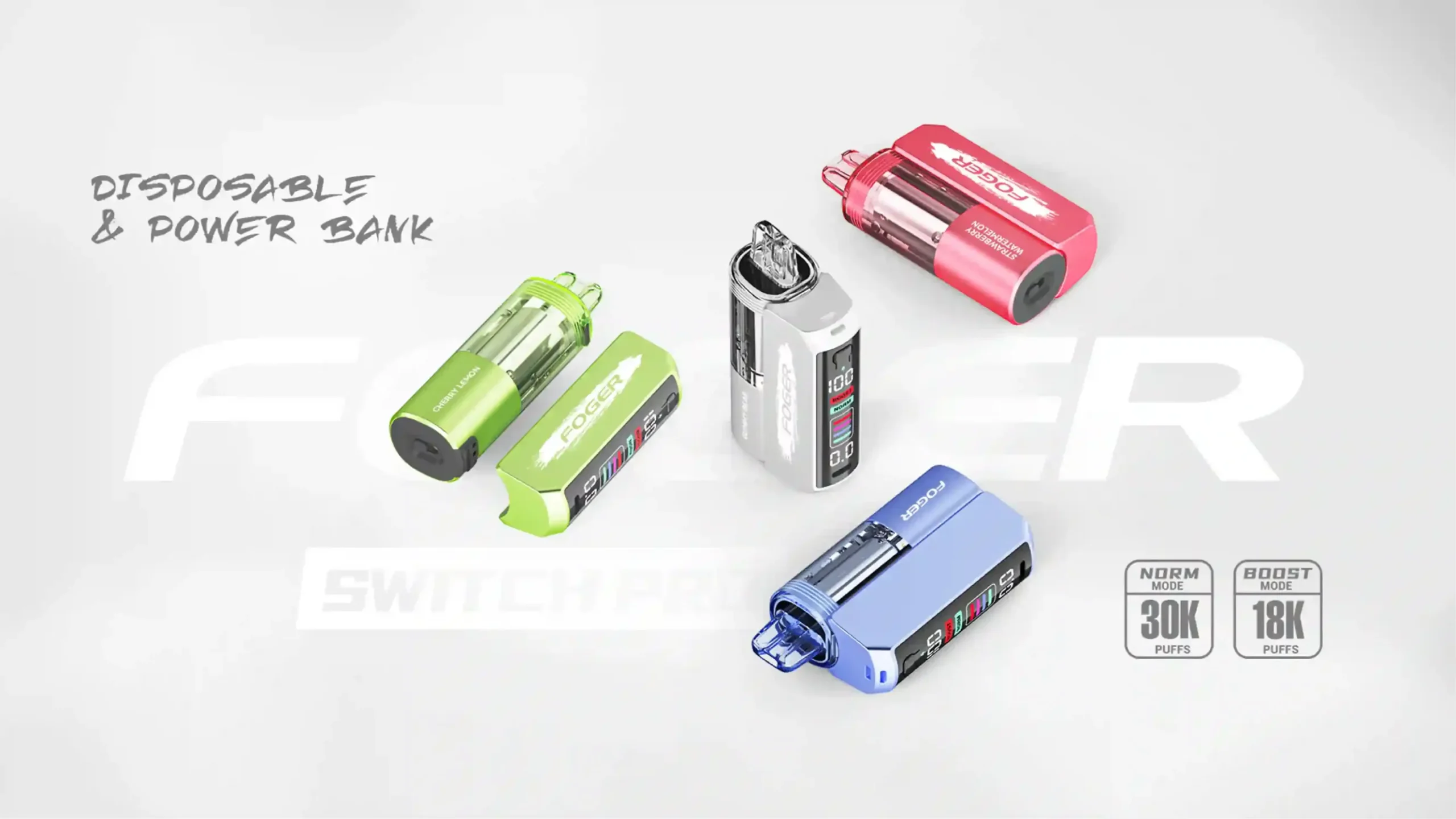
As the vaping industry rapidly evolves, we are seeing a massive influx of smart vapes equipped with massive TFT color screens, animated interfaces, and even touchscreen capabilities. As a professional e-cigarette editor, I’ve watched devices transform from simple mechanical tubes into miniature computers. While these high-tech displays are incredible for customizing your vaping experience at home, they present a highly modern hazard on the road. Navigating your commute safely requires a balance of enjoying your premium vaping devices while strictly adhering to road safety protocols.
What Causes Your Vape Screen to Trigger Distracted Driving Alerts?
The intersection of modern automotive safety technology and advanced vaping hardware has created an unexpected conflict. Fleet managers, rideshare companies, and everyday commuters are increasingly utilizing AI-powered dashboard cameras to monitor cabin activity. These systems are aggressively trained to look for illuminated rectangles—specifically, smartphones. When you raise a modern, screen-heavy pod mod to your mouth, the glowing display often mimics the exact biometric and visual signature of a person texting or checking social media while driving.
Furthermore, local law enforcement officers scanning traffic at night are trained to spot the unnatural glow of a device illuminating a driver’s face. A bright, animated OLED screen displaying a vaping animation or a puff counter can easily be mistaken for a mobile phone, leading to traffic stops, steep fines, and complicated explanations on the side of the highway. Understanding what triggers these alerts is the first step in optimizing your daily commuting setup.
Why Do AI Dashcams Confuse Smart Vapes With Smartphones?
Telematics systems, such as those used by commercial delivery fleets, utilize machine learning algorithms that recognize specific patterns. When assessing why a smart vape triggers an alert, we have to look at the physical mechanics of the action. The algorithm does not know the difference between a high-end box mod and an iPhone; it only registers specific focal points.
The primary reasons AI cameras flag modern vaping devices include:
- Hand Posture: The grip required to hold a large, screen-equipped vape often mirrors the “claw” grip used when reading a text message.
- Screen Illumination: High-definition displays emit a specific light frequency that reflects off the driver’s face, a primary trigger for night-vision AI lenses.
- Eye Tracking: AI cameras track your pupils. Looking down to check a puff counter or battery percentage registers as taking your eyes off the road.
- Device Proximity: Bringing a glowing, rectangular object near the chin or mouth is algorithmically categorized as using a mobile communication device.
How Does the Inverted Pyramid of Driving Safety Apply to Vaping?
In journalism, the inverted pyramid puts the most vital information at the top. We can apply this same philosophy to vaping while driving. The most critical directive is absolute attention to the road. Everything else—including your e-liquid level, current wattage, and puff count—is secondary background information. By restructuring how you prioritize your device’s feedback, you can drastically reduce visual distractions.
Your primary focus must always be the windshield and your mirrors. Secondary focus belongs to your vehicle’s dashboard instruments. Vaping telemetry should not even register on your visual hierarchy while the vehicle is in motion. If you structure your habits to view your vape’s display only when the vehicle is in “Park,” you immediately neutralize the risk of distracted driving warnings.
Which Vape Settings Help Eliminate Unwanted Screen Glare?
Hardware manufacturers are beginning to understand the need for low-profile operation. Because of this, almost all modern devices come with built-in UI settings designed to manage light output and power consumption. Taking five minutes to dig into your device’s menu can save you from a costly traffic ticket or a disciplinary warning from a fleet manager.
If you are using a device with a comprehensive UI menu, your goal is to minimize the amount of time the screen stays active after the firing button is pressed or the draw-activation is triggered. Customizing these parameters ensures your device remains as unobtrusive as possible during your drive.
How Do You Activate Stealth Mode on Modern Devices?
Stealth Mode is an indispensable feature for any driver. This function allows the internal chip to fire the atomizer and deliver vapor without waking up the exterior display. It was originally designed for vaping in low-light environments like movie theaters, but it has become the ultimate safety tool for nighttime driving.
To engage this feature, you generally need to perform a specific button combination. While it varies by brand, the process usually involves:
- Pressing and holding the main fire button alongside the “down” or “-” wattage button simultaneously for three seconds.
- Clicking the fire button three times rapidly to enter the main menu, scrolling to “Display Settings,” and toggling “Stealth” to ON.
- Utilizing a physical, dedicated locking/stealth switch, a feature becoming increasingly popular on top-tier devices sold at VapeRoster hardware.
Why Should You Lower Screen Brightness During Night Drives?
If your specific hardware lacks a dedicated stealth option, manual brightness adjustment is your next best defense. Modern OLED vape screens can push upwards of 400 nits of brightness. Inside a dark car cabin, this creates an intense, distracting glare that reduces your eyes’ natural night vision adjustment.
Lowering the brightness to the absolute minimum serves a dual purpose. First, it stops the cabin of your car from lighting up like a nightclub every time you take a puff. Second, it makes the screen invisible to external cameras, police cruisers, and adjacent drivers, allowing you to commute in peace without drawing unnecessary attention to your vehicle.
Where Is the Safest Place to Keep Your E-Cigarette While Driving?
Device management goes beyond software settings; physical placement is equally crucial. Keeping your vape in your lap or tossing it onto the passenger seat forces you to look away from the road to locate it. This simple act of searching for your device is a major contributor to distracted driving incidents.
Investing in a secure, easily accessible mounting solution ensures your device is always exactly where you expect it to be. Cup holder inserts designed specifically for box mods and pod systems are widely available. By establishing a designated home for your device inside your car, you rely on muscle memory rather than visual confirmation to pick it up and put it down.
Does Device Placement Affect Dashcam Monitoring?
Absolutely. If you drive a commercial vehicle equipped with an inward-facing camera, device placement is the difference between a clean driving record and a safety violation. AI cameras establish a “safe zone” based on your steering wheel and dashboard height.
If you store your device in a high-mounted phone cradle or resting on the instrument cluster, simply reaching for it will trigger a motion alert. Always store your device low—in the center console or lower cup holders. When retrieving it, keep your hand below the dashboard line. This keeps the physical movement out of the camera’s analytical focal area.
What Are the Legal Implications of Checking Vape Displays Behind the Wheel?
The legal landscape surrounding driving and vaping is complex and highly localized. While vaping itself is not explicitly illegal while driving in most jurisdictions, distracted driving is a universal offense. If an officer observes you staring intently at a glowing screen in your hand, you can and will be pulled over under general distraction statutes.
Many states and countries have enacted strict “hands-free” laws that prohibit holding any electronic device while driving. Law enforcement officers do not have the time to differentiate between you checking a text message or checking your sub-ohm tank’s coil resistance. From a legal standpoint, the visual evidence of a driver distracted by an illuminated handheld device is enough to issue a citation. Protecting yourself legally means ensuring your eyes never linger on your vape screen.
How Can Voice-Activated and Haptic Feedback Vapes Prevent Distraction?
As the industry pushes forward, we are seeing the introduction of non-visual feedback systems. This is the gold standard for commuter safety. Rather than forcing the user to look at a screen to confirm battery life or power settings, these smart devices communicate through touch and sound.
Some of the newest innovations feature smart chips that vibrate to indicate different device states. A single vibration might mean the pod is securely attached, while a pulsating vibration could indicate a low battery. By transitioning from visual monitoring to tactile monitoring, drivers can maintain total focus on the highway.
Are Vibrating Vapes the Ultimate Solution for Drivers?
For individuals who spend hours behind the wheel, haptic feedback devices are undoubtedly the most logical choice. When you cannot look at a screen, physical sensation bridges the information gap. If your battery drops below 10%, a quick vibration alerts you without requiring you to take your eyes off the road.
When shopping for your next commuter device, look for the following haptic safety indicators:
- Cartridge Detection: A brief vibration confirming your replacement pod is seated and making a proper electrical connection.
- Battery Warnings: Distinct vibration patterns that alert you when power falls below critical thresholds.
- Puff Limiters: A vibration that triggers when you have reached a continuous draw limit, preventing dry hits without needing to monitor a visual timer.
What Screen Features Should You Avoid When Commuting?
Just as some features enhance safety, others severely detract from it. The current trend of “gamifying” vaping devices is fun for casual home use but presents a massive liability in a vehicle. Screens that require intense visual focus or complex touch interactions should be strictly avoided when the engine is running.
If your daily routine involves heavy commuting, you should consciously disable specific UI features before buckling up. Remember, the goal is to reduce the visual footprint of your device to zero.
Why Are Animated Wallpapers and Mini-Games Dangerous on the Road?
Some modern box mods feature racing animations, digital pets, or even playable mini-games that activate during or after a puff. These features are specifically designed to capture and hold your visual attention. In a driving scenario, your attention is a finite resource; giving any of it to an animated wallpaper on your vape is a critical error.
Animated screens also cause fluctuating light patterns in the car cabin. Unlike a steady, dim light, a flashing or moving animation is highly distracting to your peripheral vision. It draws the eye involuntarily, breaking your concentration on traffic patterns and road hazards.
How Do Different Vape Brands Compare in Commuter-Friendly Features?
Not all e-cigarettes are created equal when it comes to road safety. Some manufacturers prioritize massive, flashy screens, while others focus on intuitive, non-visual user experiences. Below is a comparative look at what features make specific styles of devices better suited for drivers.
| Device Category | Screen Type | Commuter Safety Rating | Key Driving-Friendly Features |
|---|---|---|---|
| Advanced Box Mods | Large TFT Color / Touch | Low | Requires manual activation of Stealth Mode; highly distracting if left on. |
| Pod Mods with Screens | Small OLED | Medium | Often features auto-dimming; smaller light footprint, but still requires visual checking. |
| Screenless Pod Systems | LED Indicator Only | High | No screen to check; simple color-coded LED for battery (Green/Blue/Red). |
| Haptic Smart Vapes | Hidden Matrix / None | Excellent | Relies on vibrations; zero visual distraction; highly recommended for frequent drivers. |
How Can Fleet Drivers Navigate Vaping Policies and AI Cameras?
If you drive an 18-wheeler, a delivery van, or a company car, you are likely subject to strict corporate telematic monitoring. Many fleets use systems like Samsara or Motive, which aggressively monitor driver cabins. Triggering a “distracted driving” event because of your vape can result in points against your commercial license, docked pay, or termination.
Navigating this requires absolute discipline. You must treat your vaping device with the same strict protocol as your mobile phone. This means understanding exactly what the AI is looking for and ensuring your actions do not mimic restricted behaviors.
What Practical Steps Prevent False Flags From Driver-Facing Tech?
To outsmart the AI and prevent false safety flags, fleet drivers must alter their vaping mechanics entirely. It is not just about the screen; it is about the entire physical interaction with the device.
- Keep it low: Never bring the vape up to eye level. Keep your hand near the steering wheel’s lower quadrant when lifting the device.
- Cover the screen: If your device lacks a stealth mode, hold the vape in a way that your palm naturally covers the glowing display.
- Vape during natural stops: Confine your vaping to red lights, stop signs, or traffic standstills to ensure any incidental camera recordings show you securely stopped.
- Opt for draw-activated devices: Devices without firing buttons prevent the “texting thumb” posture that AI algorithms frequently flag as phone usage.
Why Is Pre-Trip Device Maintenance Crucial for Undisrupted Driving?
Experience, Expertise, Authoritativeness, and Trustworthiness (E-E-A-T) in the vaping industry tells us that preparation prevents malfunction. The main reason people look at their vape screens while driving is due to unexpected performance issues: a sudden burnt taste, a drop in vapor production, or a battery dying prematurely.
By conducting a proper pre-trip inspection of your hardware, you eliminate the need to troubleshoot your device on the highway. Before turning the ignition key, ensure your battery is fully charged, your tank or pod is topped off with e-liquid, and your wattage is locked in at your preferred setting. This closed-loop preparation guarantees your device will function exactly as expected from point A to point B, removing the temptation to monitor the display entirely.
Upgrade Your Commute With VapeRoster’s Driver-Friendly Devices
Are you tired of bright screens causing glare during your night drives? Want to upgrade to a device with haptic feedback and stealth capabilities to keep your eyes on the road? At VapeRoster, we carry the industry’s most advanced, commuter-friendly hardware designed for safety and satisfaction.
Shop Our Safe-Commute Vapes Today
Frequently Asked Questions About Vaping Safely on the Road
Can I get a ticket for looking at my vape screen?
Yes. While vaping itself may be legal, law enforcement can issue a citation for distracted driving if they observe you taking your eyes off the road to look at an illuminated device, regardless of whether it is a phone or a vape.
Does “stealth mode” save battery life as well as reduce distraction?
Absolutely. The large TFT and OLED screens on modern vapes are significant battery drains. By utilizing stealth mode to keep the screen off while vaping, you drastically extend your battery life while simultaneously eliminating nighttime cabin glare.
What should I do if a fleet dashcam flags my vape as a phone?
If you receive a false flag, immediately request your fleet manager to review the video footage manually. AI cameras flag behaviors, but human review can easily differentiate between holding a vape and texting. To prevent future issues, switch to a screenless, draw-activated device and keep it out of the camera’s sightline.