
To avoid distracted driving warnings when checking your vape battery screen, utilize your device’s “stealth mode” to disable the display, rely on haptic feedback (vibrations) to monitor battery and e-liquid levels, and check your screen only when the vehicle is in park. Modern Advanced Driver Assistance Systems (ADAS) track eye movement; looking down at a brightly lit smart vape screen will trigger safety alarms. Pre-charging your device and positioning it in a lower console mount rather than the steering wheel hand can also prevent your vehicle’s cabin cameras from registering visual distraction.
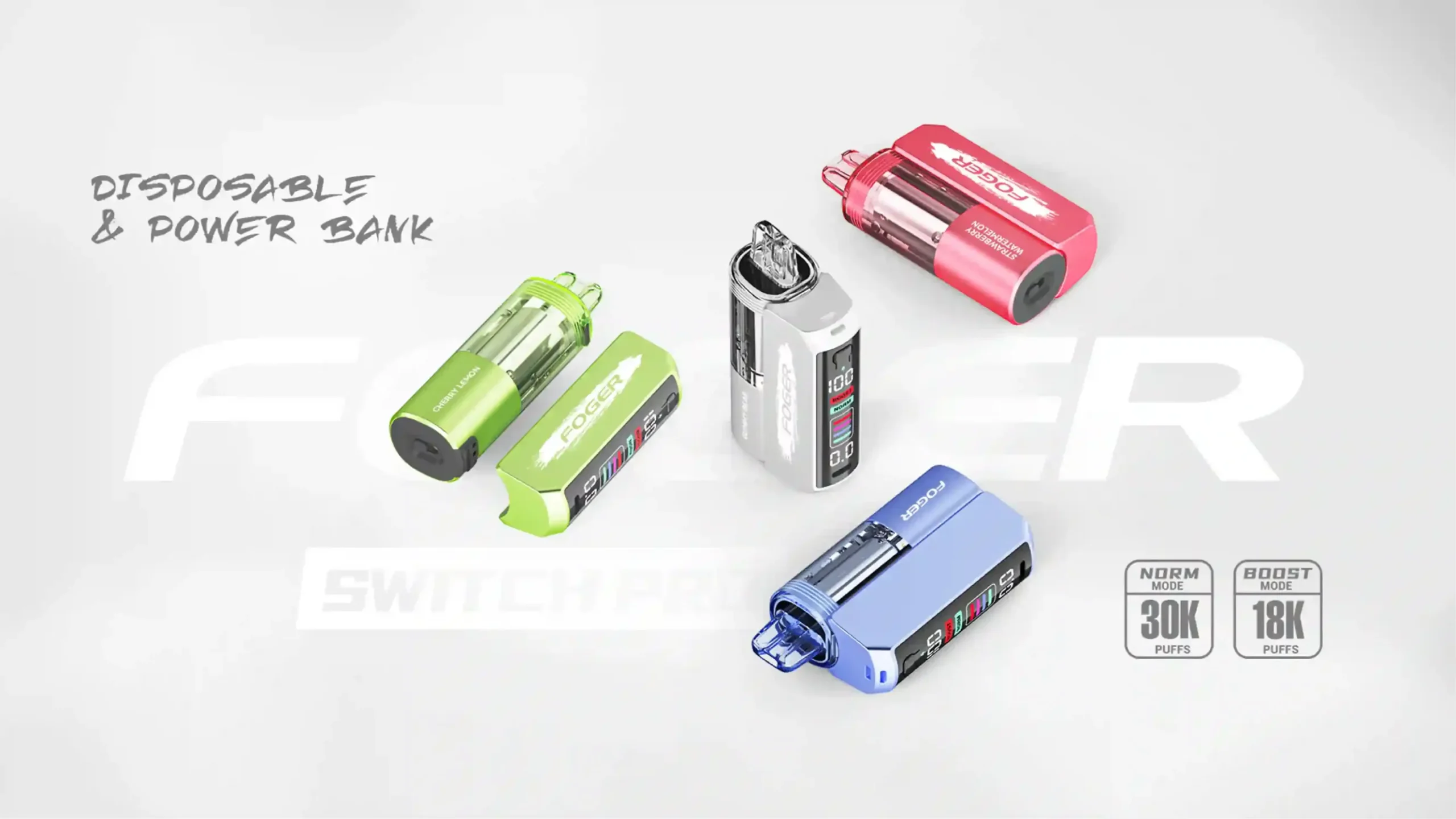
The vaping industry has experienced a massive technological leap, transitioning from simple LED indicators to high-definition TFT color screens that display battery life, e-liquid levels, and even animated graphics. While these smart vapes offer an incredible user experience, they have introduced an unexpected modern hazard: triggering distracted driving alarms in contemporary vehicles. As a professional e-cigarette editor at Vaperoster, I have tested dozens of the latest smart disposable and pod systems behind the wheel to understand exactly how these devices interact with vehicle safety systems.
The issue stems from a clash of modern technologies. As vape screens become more captivating, vehicle safety systems are becoming more sensitive. Driver Monitoring Systems (DMS) use infrared cameras to track your pupil movement. When you glance down to check if your device is in “Boost Mode” or to read the precise battery percentage, your car interprets this the exact same way it interprets looking at a smartphone. The result is a blaring dashboard alarm, interrupted music, and a genuinely dangerous driving situation. In this comprehensive guide, we will break down exactly how to manage your smart vape while commuting, ensuring you stay safe, legal, and uninterrupted on the road.
Why Do Modern Vapes Trigger Distracted Driving Alarms?
Understanding the root cause of the problem is the first step to solving it. Modern vehicles from manufacturers like Tesla, Subaru, Ford, and BMW utilize complex interior camera arrays. These cameras are not simply looking at your face; they are actively mapping your facial geometry and tracking your eye gaze vector. When you introduce a modern smart vape into this environment, you are introducing a high-contrast, brightly lit focal point right into your immediate field of vision.
Furthermore, the physical action of bringing a vape to your mouth often obscures the lower half of your face. If the device has a side-mounted screen that lights up upon inhalation, your eyes will naturally dart toward that light source. This split-second shift in focus is all it takes for the car’s computer to log a distraction event.
What Car Sensors Monitor Your Eyes While Vaping?
Most modern Advanced Driver Assistance Systems (ADAS) rely on near-infrared (NIR) cameras mounted on the steering column, rear-view mirror, or center infotainment display. Because they use near-infrared light, they can track your pupils even through sunglasses and in the dead of night.
When you hold a vape with an active LCD or OLED screen, the ambient light from the screen creates reflections on your face and glasses. More importantly, the system measures “eyes-off-road time.” If you take a drag from your device, pull it away, and spend two seconds reading the e-liquid drop animation, the NIR camera registers that your eyes have dropped below the windshield threshold. Once that timer exceeds the manufacturer’s safety limit—usually between 1.5 to 2 seconds—the distracted driving warning is deployed.
How Do Animated Vape Screens Cause Driver Distraction?
The evolution of disposable vapes has brought us full-color displays featuring complex animations—from revving engines to rocket ships—that activate during and after a puff. While aesthetically pleasing, these animations are engineered to capture your attention. Human peripheral vision is highly sensitive to motion and changes in light.
When you take a puff in a dark vehicle cabin, the sudden illumination of a rocket ship animation on your vape screen creates a stark contrast against the dark interior. Your brain is hardwired to look at sudden movements and bright lights. This involuntary visual pull forces your pupils downward. Even if you only intended to take a quick puff while keeping your eyes on the road, the screen’s animation essentially tricks your peripheral vision into looking away from traffic, prompting an immediate scolding from your vehicle’s ADAS.
What Are the Immediate Solutions to Check Vape Batteries Safely?
To safely commute without triggering your car’s safety mechanisms, you must change how you interact with your device. The goal is to eliminate the need for visual confirmation entirely. By utilizing built-in software features and relying on other senses, you can maintain full awareness of your battery and e-liquid levels without ever taking your eyes off the road.
Hardware manufacturers are aware of the battery anxiety that plagues vapers, which is why the most advanced devices now offer multiple feedback loops. Mastering these features will transform your daily commute from an anxiety-inducing experience filled with car alarms into a seamless, safe journey.
How Can You Utilize “Stealth Mode” or Screen Timeouts?
The most effective software solution available on premium devices is Stealth Mode. This feature allows the device to function normally—firing the coil at your preferred wattage—while completely disabling the screen display. When stealth mode is activated, taking a puff will not illuminate the screen, and no animations will play.
To implement this effectively:
- Enter your device’s menu settings before putting your vehicle in drive.
- Locate the display or screen settings and toggle “Stealth Mode” to ON.
- If your device lacks a dedicated stealth mode, navigate to the screen timeout settings and reduce the display time to the minimum (usually 3 to 5 seconds).
- Adjust the screen brightness to its absolute lowest setting to minimize ambient light reflection in the cabin.
Why Is Haptic Feedback the Safest Battery Indicator?
Haptic feedback—or physical vibration—is the gold standard for safe vaping while driving. Instead of forcing you to look at a screen, a haptic-enabled vape uses distinct vibration patterns to communicate its status directly to your hand. This completely bypasses the visual distraction element, ensuring your vehicle’s eye-tracking cameras see nothing out of the ordinary.
For example, a high-end device might give one short vibration when the battery drops below 30%, two short vibrations when the e-liquid is running low, and a long vibration when the battery is critical. By learning your specific device’s haptic language, you can receive all the information you need through your fingertips, keeping your eyes locked on the highway ahead.
Can Tactile Button Checking Prevent Visual Distraction?
For devices that do not feature haptic feedback, tactile memory is your next best defense. Before driving, familiarize yourself with the exact location of your device’s fire button and wattage adjustment buttons. You should be able to operate the device entirely by feel.
If you absolutely must check your battery level using a button-activated screen, do not do it while the vehicle is in motion. Wait until you are completely stopped at a red light or safely parked. Keep the device below the steering wheel, press the activation button to wake the screen, take a quick mental snapshot of the battery percentage, and return your eyes to the road before the light turns green. Never attempt to navigate complex menu systems while operating the vehicle.
Which Vape Devices Are Safest for Commuters?
Not all vapes are created equal when it comes to commuting safely. At Vaperoster, we highly recommend selecting a device specifically suited for driving if you spend a significant amount of time behind the wheel. The ideal commuter vape minimizes visual output while maximizing physical feedback and simplicity.
Below is a comparison of different device types and their suitability for drivers who want to avoid ADAS warnings.
| Device Category | Screen Type | Distraction Risk Level | Driver-Friendly Features |
|---|---|---|---|
| Smart Disposables (Animations) | Large TFT / OLED Color | High | Requires careful setup; must use screen timeout or stealth features if available. |
| Advanced Pod Mods | Monochrome / Minimalist OLED | Medium | Often features Stealth Mode, tactile buttons, and adjustable brightness. |
| Haptic Feedback Vapes | Hidden LED / Small Screen | Low | Communicates via vibration, eliminating the need to look at the device. |
| Screenless Pod Systems | Single LED indicator | Very Low | Draw-activated, no menus, single colored light for battery indication. |
What Features Define a Drive-Friendly E-Cigarette?
When browsing Vaperoster’s selection of premium devices for your daily commute, look for specific parameters that reduce visual demand. A drive-friendly vape should be an extension of your natural movements, not a piece of technology that demands your undivided attention.
The core features of a safe commuter vape include:
- Draw-Activation: Eliminates the need to find a fire button, allowing you to keep a firmer grip on the steering wheel.
- Haptic Alerts: Vibrations that notify you of low battery or empty pods without requiring a visual check.
- Stealth Functionality: The ability to completely black out the screen while still allowing the device to vaporize e-liquid.
- Large Battery Capacity: Devices with 800mAh or higher ensure you won’t need to check the battery level during a standard commute.
- Top-Fill Pods: If a refill is necessary while parked, top-fill systems are less messy and faster to manage.
Are Screenless Vapes Making a Comeback for Drivers?
Interestingly, the rise of hyper-sensitive car alarms is driving a resurgence in the popularity of traditional, screenless pod systems among heavy commuters. Devices that rely solely on a single LED light (typically green for high, blue for medium, and red for low battery) offer a massive safety advantage.
Because these devices lack the bright, animated screens of modern smart vapes, they do not create the glaring cabin reflections that confuse driver monitoring cameras. Furthermore, a single LED is usually located near the base of the device. You can easily cover it with your palm while taking a puff, completely blacking out the device and ensuring your car’s ADAS only sees a driver focusing on the road.
How Should You Position Your Vape to Avoid ADAS Detection?
Even if you have optimized your device’s settings, physical positioning plays a crucial role in avoiding distracted driving warnings. Driver Monitoring Systems are calibrated to expect the driver’s hands to be on the steering wheel and their face to be fully visible. The way you hold and store your vape can either trigger an alarm or allow you to vape in peace.
Ergonomics in the cabin must be managed carefully. Holding a large box mod or a brightly lit smart disposable right in front of your face while gripping the steering wheel is a guaranteed way to block the steering column camera and trigger a warning.
Where Is the Optimal Cup Holder or Mount Placement?
Never leave your vape resting in your lap or on the passenger seat where it requires you to look down and away from the road to retrieve it. The optimal storage location is in a dedicated center console slot or a custom cup holder mount that keeps the device upright and within arm’s reach.
When you place the device in the cup holder, ensure the screen is facing away from you. If the screen lights up randomly due to an accidental button press or a sensor glitch, facing it away prevents the sudden flash of light from catching your eye and drawing your gaze downward. Better yet, keeping it low in the center console ensures any emitted light stays below the dashboard line, well out of the view of rear-view mirror cameras.
Does the Hand-to-Mouth Angle Trigger Warning Systems?
Yes, the angle at which you bring the vape to your mouth can absolutely trigger an ADAS warning. If you vape using the hand that is resting on the top of the steering wheel (the 12 o’clock position), your arm will block the camera mounted on the steering column. The system registers this as a “loss of driver tracking” and will sound an alarm.
To avoid this, always use your right hand (or left, depending on your country’s driving side) from a lower position—such as resting on the center console. Bring the device to your mouth from below, taking a quick drag without obscuring your eyes or the upper bridge of your nose. Keep the device tucked into the palm of your hand to block any residual screen light from hitting your face.
What Are the Legal Implications of Screen-Based Vaping Behind the Wheel?
Beyond the annoyance of your car beeping at you, there are severe legal considerations regarding smart vapes and driving. Law enforcement agencies globally are updating their definitions of “distracted driving” to encompass a wider range of electronic devices, not just mobile phones.
While vaping itself is not illegal while driving in most jurisdictions, the secondary effects of using a highly interactive, screen-heavy device can easily result in a traffic stop. It is vital to understand how the law views your interaction with your e-cigarette.
How Do Vaping Clouds Combine With Screen Distraction?
A major legal hazard occurs when screen distraction is combined with obscured vision. If you are looking down at your screen to adjust wattage, and then blow a massive cloud of vapor that hits the windshield and lingers in the cabin, you have committed two driving offenses simultaneously: visual distraction and operating a vehicle with an obstructed view.
Always crack your window before vaping in the car to allow the vapor to escape immediately. Furthermore, if your device features adjustable airflow, close it down slightly for a tighter MTL (Mouth-to-Lung) draw while driving. This produces significantly less vapor than an airy DTL (Direct-to-Lung) hit, reducing the chance of clouding up your windshield and drawing the attention of highway patrol.
What Fines Can You Face for E-Cigarette Distracted Driving?
If a police officer observes you staring intently at a device in your hand, they cannot immediately tell if it is a smartphone or a smart vape displaying a battery animation. In many states and countries, the act of interacting with a handheld electronic screen while driving falls under broad distracted driving laws.
If pulled over, arguing that “it’s just a vape, not a phone” may not save you from a ticket if the officer determines your attention was diverted from the road. Fines for distracted driving can range from $100 to over $1,000, depending on the jurisdiction, and can result in points on your license. Treating your smart vape’s screen with the same discipline as your smartphone screen is the only way to ensure legal compliance.
How to Configure Your Smart Vape Before Starting the Engine?
The golden rule of avoiding distracted driving warnings is preparation. Once the car is in drive, your opportunity to mess with settings safely has passed. Establishing a pre-drive vaping routine takes less than thirty seconds and guarantees a distraction-free commute.
At Vaperoster, we recommend all drivers adopt a strict “set it and forget it” policy regarding their devices before hitting the road.
What Preparations Keep Your Focus on the Road?
Before you shift out of Park, run through this quick checklist to configure your smart vape for the journey ahead:
- Check Battery and Liquid: Verify your battery is above 50% and your pod has enough juice for the trip. If not, swap devices or recharge now.
- Activate Stealth Mode: Dive into the menu and turn off the display screen completely.
- Lock the Buttons: If your device has a locking feature, engage it so you don’t accidentally adjust your wattage to 100W while grasping the device.
- Select Your Mode: Choose your preferred power setting (e.g., Normal or Eco mode) and leave it there. Avoid using high-power “Boost” modes that drain battery quickly and produce vision-obscuring clouds.
- Proper Placement: Place the device securely in the center console or a designated cup holder, never loosely on a seat.
Vaperoster’s E-E-A-T Commitment to Vaping Safety
As a leading authority in the e-cigarette industry, Vaperoster is dedicated to promoting safe and responsible vaping habits. Our editorial team rigorously tests every device we review under real-world conditions, including daily commuting scenarios. The insights provided in this article are based on first-hand experience with modern Advanced Driver Assistance Systems and the latest smart vape technology. We prioritize your safety over novelty, which is why we always advocate for utilizing stealth features, haptic feedback, and screenless alternatives when operating heavy machinery. Trust Vaperoster to provide transparent, expert advice that enhances your vaping experience without compromising your safety.
Frequently Asked Questions (FAQ) About Vaping and Driving
Q: Will my car’s camera record me vaping?
A: Most vehicle Driver Monitoring Systems do not record or store video footage; they process data in real-time to track eye movement and head position. However, some systems save short clips during a crash event for insurance or diagnostic purposes.
Q: Is it illegal to hold a vape while driving?
A: In most places, holding a vape is legal, similar to holding a cup of coffee. However, if holding the vape causes you to drive erratically, or if you are looking at the vape’s screen instead of the road, you can be cited for distracted driving.
Q: Can the vapor itself trigger the car’s sensors?
A: Yes. If a thick cloud of vapor passes directly in front of the infrared steering column camera, it can block the sensor’s view of your eyes, triggering an immediate “Please Keep Eyes on Road” warning.
Q: How do I know if my device has a stealth mode?
A: Check the user manual provided in the box, or click the fire button rapidly (usually 3 or 4 times) to access the menu. Look for icons resembling a screen with a slash through it, or settings labeled “Display” or “Stealth.”
Upgrade Your Driving Experience with Vaperoster
Navigating the modern world of smart vapes and highly sensitive vehicle safety systems doesn’t have to be frustrating. By choosing the right hardware and utilizing smart software features, you can enjoy your favorite flavors without compromising your focus on the road. If your current device is too distracting, it’s time for an upgrade.
Explore Vaperoster’s premium collection of e-cigarettes today. From sophisticated haptic-feedback pod mods to reliable, screenless draw-activated devices, we have the perfect solution to keep your commute safe, satisfying, and alarm-free. Drive safe, vape smart, and let Vaperoster elevate your daily journey.